
Step 1
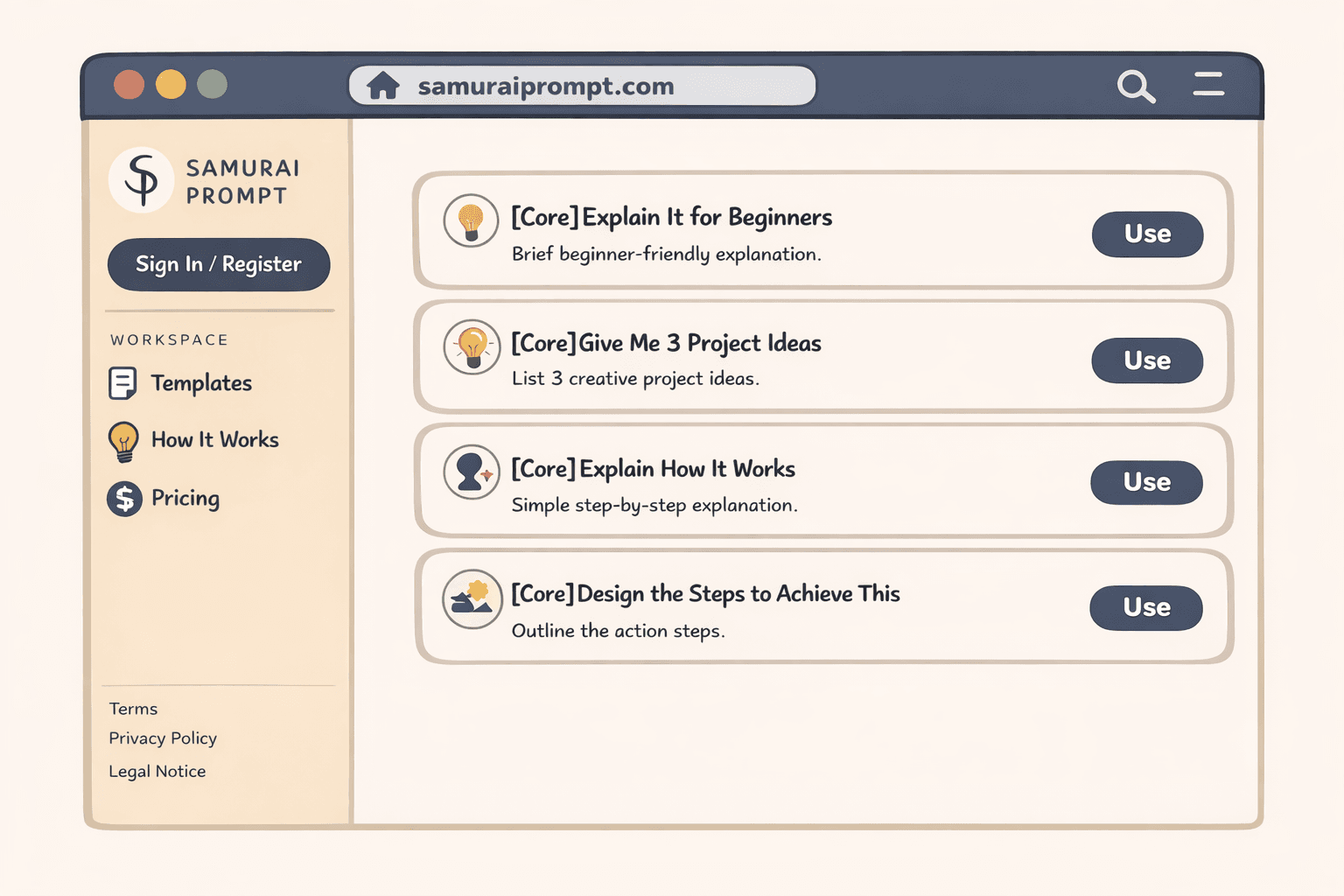
Choose a Template
Open the template list and pick one that matches your use case. You can filter by language, popularity, and official status.
Getting Started
Follow these three steps to pick a template, fill variables, and copy instantly.
Open the template list and pick one that matches your use case. You can filter by language, popularity, and official status.
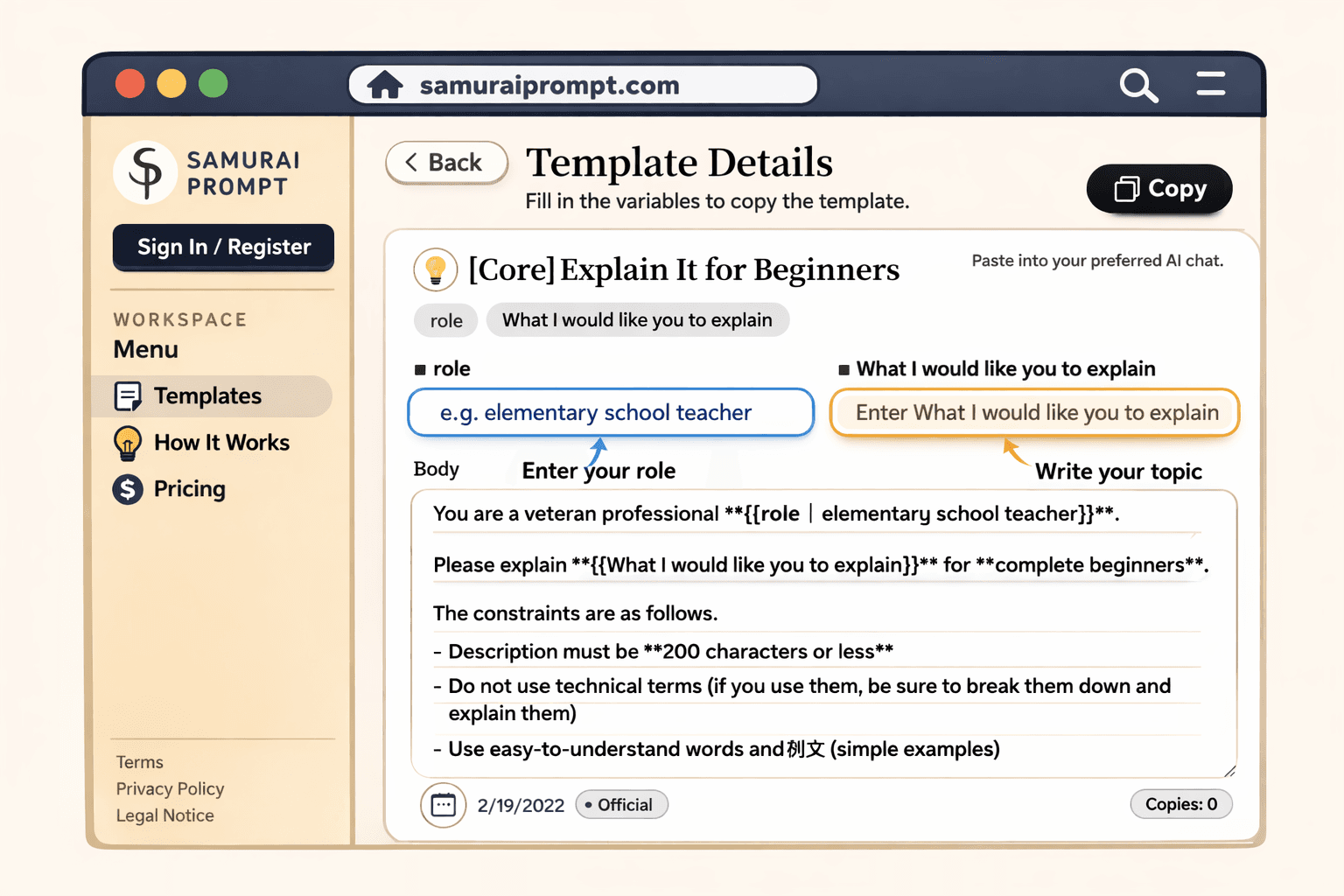
Enter only the placeholders you need. Saved variable candidates help you fill frequently used phrases faster.
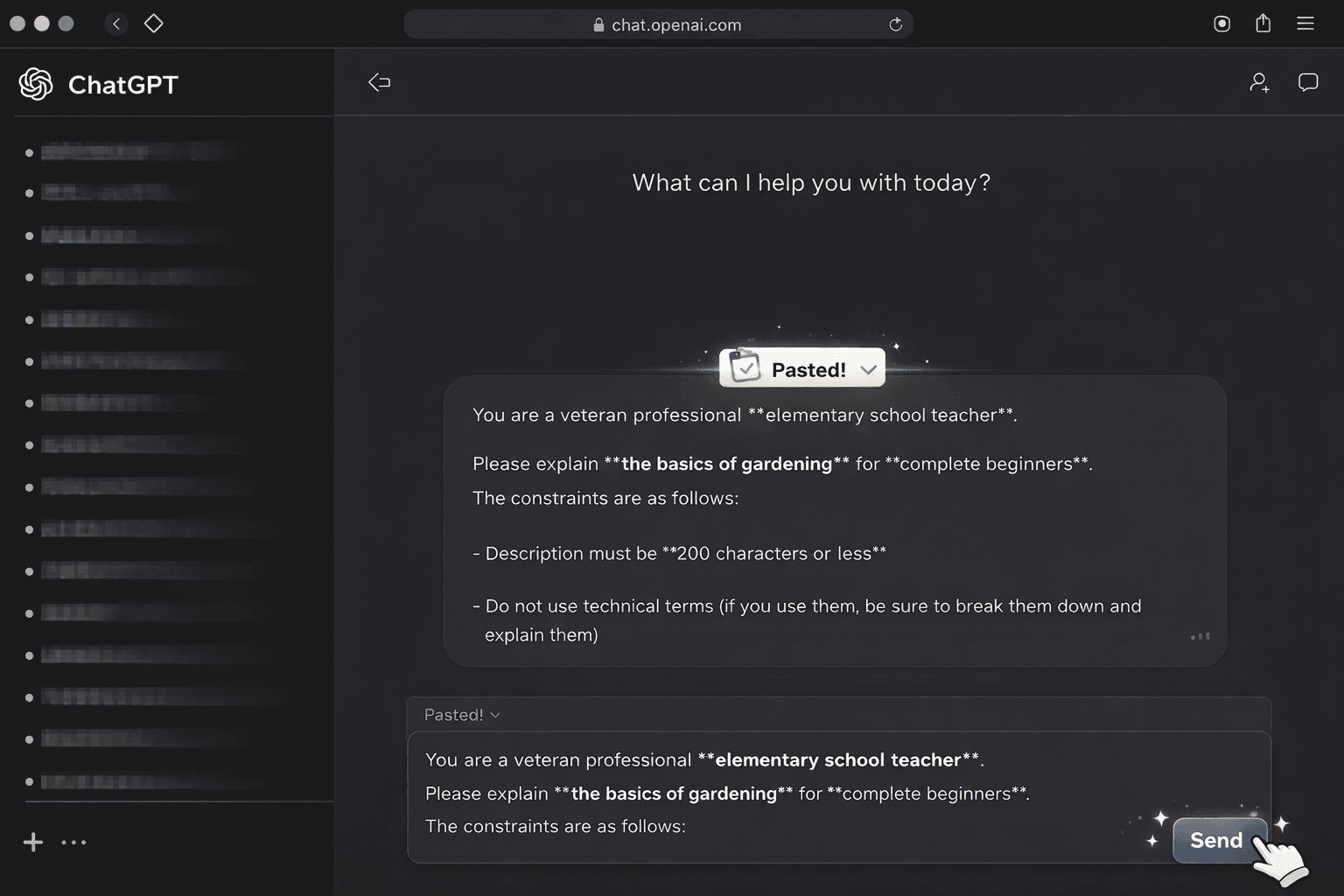
Copy the generated prompt and paste it into your AI chat tool. Track useful templates and add favorites for quick reuse.